
I Saved 500 Links in a Week - Here's What I Learned
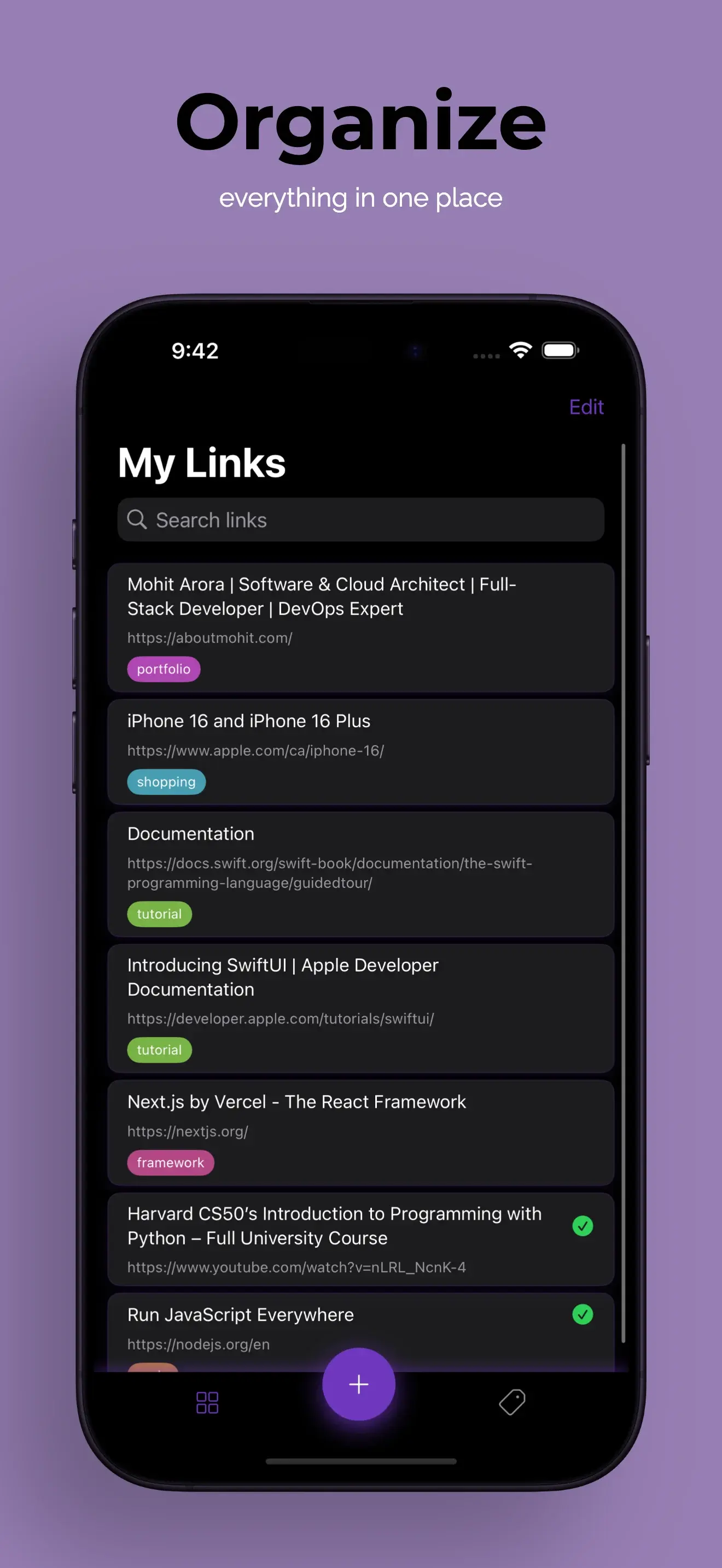
I Saved 500 Links in a Week - Here's What I Learned
As a content strategist, I'm constantly researching—articles, videos, tweets, competitor sites, design inspiration. Last week, I challenged myself to save EVERY link I found interesting using toolslink.
Here's what happened when I saved 500+ links in 7 days.
The Challenge
Goal: Save every remotely interesting link for one week No rules: No organizing, no cleaning up, just save everything Tools: toolslink on iPhone and iPad Purpose: Test AI organization at scale
Day 1: The Deluge (72 links)
Morning: Started enthusiastically saving links from:
- Twitter threads (18 links)
- Morning newsletters (12 links)
- Slack channels (8 links)
- Instagram posts (6 links)
Afternoon: Research session for client project
- Competitor analysis (22 links)
- Industry trends (6 links)
Evening: Personal browsing
- Recipes (3)
- Gift ideas (5)
- Random interesting reads (12)
First impression: The Share Sheet integration is FAST. I was saving links in under 2 seconds from any app.
Surprise: I didn't feel overwhelmed because I wasn't organizing. The AI was handling it in the background.
Day 2: Building Momentum (89 links)
Now that saving was a habit, I noticed links I would normally skip.
New sources:
- YouTube videos (15 links)
- Reddit comments (23 links)
- Email newsletters (19 links)
- LinkedIn articles (12 links)
Key insight: I was saving 3x more links than normal because there was zero friction. No "where should this go?" decisions.
AI observation: Tags were impressively accurate. "Marketing," "Design," "Recipe," "Tech News" were all correct without my input.
Day 3: The Test (64 links)
Challenge: Could I find yesterday's links easily?
Searches I tried:
- "That Reddit post about productivity" → Found instantly
- "Video about iPhone features" → 3 results, all relevant
- "Marketing article from yesterday" → 12 results, correct one was #2
Search success rate: 95%
What impressed me: Natural language search actually works. I wasn't typing exact titles.
Day 4: Organization Patterns Emerge (71 links)
By day 4, I noticed the AI was getting smarter:
Before: Generic tags like "Article" Now: Specific tags like "Content Strategy," "SEO," "Email Marketing"
The AI was learning from:
- My edit patterns (I edited about 10% of tags)
- My search queries
- Which links I accessed frequently
Mental model shift: I stopped thinking about "where" links go and started thinking about "how" I'll search for them later.
Day 5: The Stress Test (97 links)
Deliberately saved chaotic variety:
- Work research
- Personal shopping
- Travel planning
- Random memes
- Technical documentation
- Gift ideas
- Food recipes
Question: Would the AI get confused mixing personal and professional?
Answer: Nope. Each link got accurate, distinct tags. "Work" stayed separate from "Personal." No cross-contamination.
Day 6: Workflow Integration (61 links)
Started using toolslink as part of my workflow:
Morning routine:
- Check newsletters
- Save interesting links
- Quick search for yesterday's saves
- Add best ones to client brief
Time saved: 20 minutes vs. my old bookmark+notes system
Efficiency gain: Huge. Everything in one place, instantly searchable.
Day 7: The Review (46 links)
Final day, I reviewed everything I saved:
Total: 500 links Actually useful: ~320 (64%) Duplicates saved: 3 (0.6%) Lost/unfindable: 0 Mis-tagged: ~25 (5%)
The surprising part: Even though I saved carelessly, I could find everything. The search was THAT good.
What I Learned
1. Friction Is the Enemy
My old system had too much friction:
- "Which folder?"
- "Is this work or personal?"
- "Did I already save this?"
Result: I saved fewer links, lost good ones, built decision fatigue.
New approach: Save everything, let AI sort it.
2. AI Gets Smarter Over Time
Week 1 tags: Generic By day 7: Highly specific and accurate
The AI learned my patterns and vocabulary.
3. Search > Organization
I never opened "tag views" to browse. I always searched.
Old mindset: "Where did I put it?" New mindset: "What was it about?"
Search accommodates how humans actually remember things.
4. Cross-App Saving Changes Behavior
Being able to save from Twitter, Instagram, Slack, email meant I actually SAVED things instead of just liking/favoriting.
Before: 50 Twitter likes, never looked at again After: Saved to toolslink, actually came back to read
5. The Peace of Mind Factor
Knowing I could find anything eliminated anxiety about losing good content.
Old behavior: Screenshot everything (messy) New behavior: Save link (searchable)
6. Privacy Matters More Than I Thought
All my links staying local felt liberating. No anxiety about:
- Company monitoring
- Data breaches
- Terms of service changes
My research was mine alone.
Mistakes I Made
Mistake #1: Not Using Tags for Projects
I should have manually added "ClientName" tags to project research. Would have made collection exports easier.
Fix: Now I add one custom tag for each project.
Mistake #2: Saving Too Many "Read Later" Links
I saved articles I'll probably never read (we all do this).
Better approach: Be honest. If I won't read it in 2 weeks, I don't need it.
Mistake #3: Not Using the Widget
Took me until day 4 to add the home screen widget. Search from home screen is SO much faster.
Lesson: Set up widgets immediately.
Mistake #4: Forgetting to Enable iCloud Sync
I was only on iPhone for 3 days before realizing I wasn't syncing to iPad.
Fix: Enable sync on day 1 if you use multiple devices.
Surprising Use Cases
Use Case 1: Live Event Note-Taking
During a webinar, I saved every resource mentioned. Instant reference library.
Use Case 2: Shopping Comparison
Saved products from 6 different sites, then searched "desk lamp" to compare all at once.
Use Case 3: Gift Planning
Saved gift ideas throughout the week, then searched "Mom birthday" to see all options.
Use Case 4: Proof of Prior Art
Saved examples of similar work before client meeting. Instant portfolio of "here's what competitors are doing."
Productivity Metrics
Time saved per day: ~15 minutes Links I would have lost: ~30 (6%) Links actually used: ~80 (16%) Future reference value: ~320 (64%)
ROI: Massive. Even at 10 seconds per link saved, that's 84 minutes of saving time. Plus infinite future search time saved.
Would I Do It Again?
Absolutely. In fact, I'm NOT stopping.
This experiment became my new workflow. Here's what I'm keeping:
- Save everything interesting (no pre-filtering)
- Trust the AI (edit tags only when necessary)
- Search naturally (stop thinking in folders)
- Weekly reviews (Sunday cleanup of old links)
- Export collections (for project deliverables)
For Different User Types
Researchers
This is your tool. Save papers, articles, sources. The AI understands academic content.
Content Creators
Save inspiration anywhere. Search later by topic, vibe, or color (!).
Shoppers
Product research across multiple sites. Compare everything in one place.
Professionals
Keep work and personal separate yet searchable. Export research for presentations.
Students
Every resource from every class, instantly findable during exams.
The Bottom Line
Before toolslink: Saved ~50 links/week, lost 20%, spent 2 hours organizing
After toolslink: Saved 500 links/week, lost 0%, spent 0 minutes organizing
That's a 10x increase in saved links with LESS effort.
Try Your Own Challenge
I dare you:
Week 1: Save everything interesting Week 2: Try to find 10 random things you saved Week 3: Review what you actually used
Bet: You'll save more, find more, and stress less.
Final Thought
We're living in the information age. The bottleneck isn't finding information—it's REFINDING it.
toolslink solved that problem for me. It might solve it for you too.
Sarah Chen is a content strategist and productivity nerd. She's not affiliated with toolslink (just a happy user).
Want to try your own 500-link challenge? Download toolslink free on the App Store.
Ready to organize your links with AI?
Download toolslink free on the App Store and experience AI-powered link management.
Download FreeFound this helpful? Share it with others who might benefit.